

Pourquoi ma machine à souder au laser n'émet-elle pas de lumière ?
Date : 11 septembre 2026 Vue : 689
Lorsqu'une machine de soudage laser n'émet pas de lumière, relâchez la gâchette et consultez les alarmes du contrôleur, de la source et du système de refroidissement. Identifiez le symptôme : absence de gaz et de laser, gaz sans laser, voyant rouge sans soudage, faible puissance de soudage ou puissance intermittente.
Notez le code d'alarme. Coupez l'alimentation électrique si vous constatez une fibre endommagée, la présence d'eau à proximité de composants électriques, une odeur de brûlé ou une alarme qui se répète.
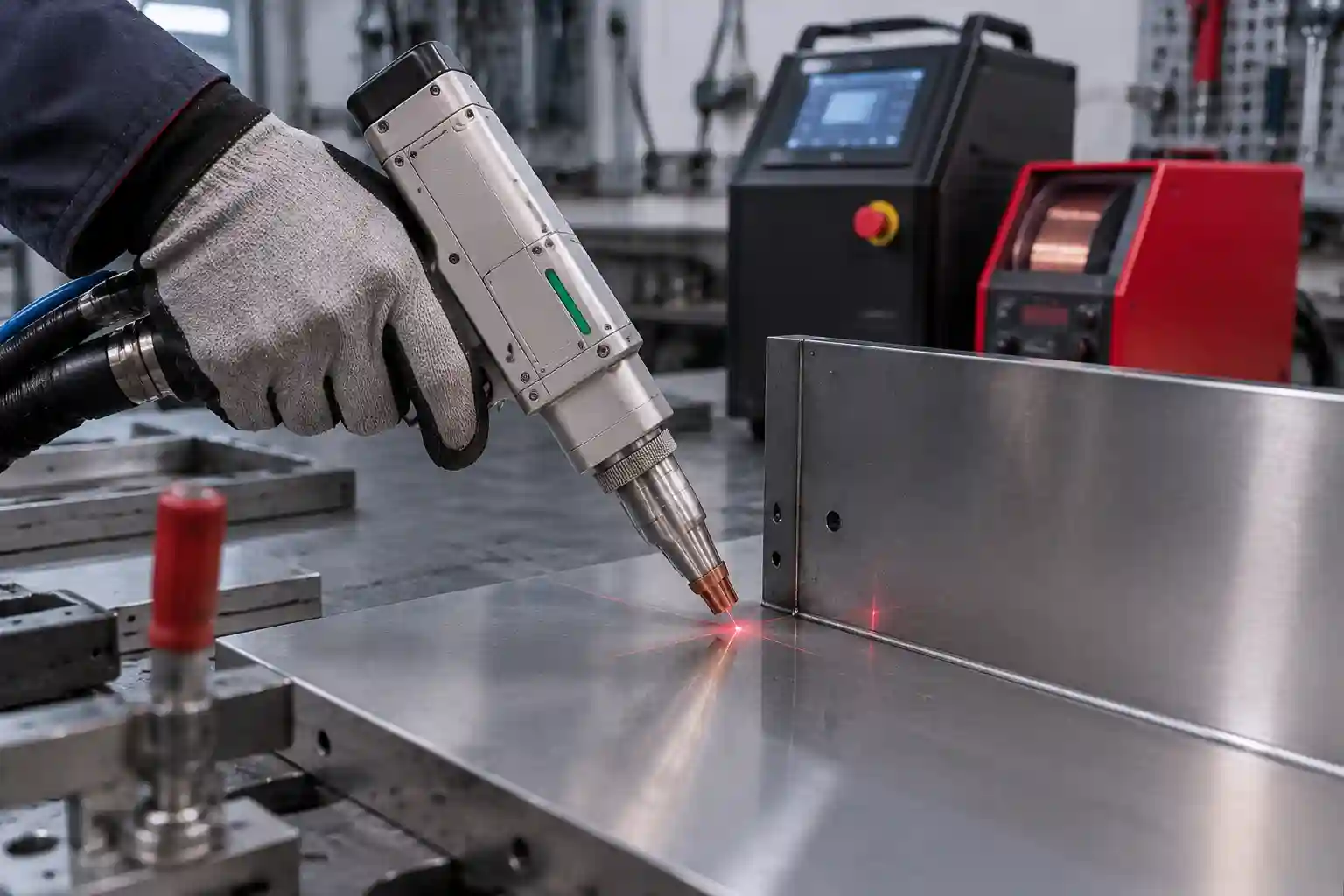
Que signifie « Pas de lumière » sur une soudeuse laser ?
L’indication « pas de lumière » signifie que la machine ne produit pas d’énergie de soudage. Le voyant rouge de guidage et le laser de soudage principal sont des indicateurs distincts.
Lumière guide rouge vs puissance du laser principal
WISECUT indique un système d'indication laser rouge et une longueur d'onde centrale de 1080 +/- 3 nm pour ses modèles WT-W1500 et WT-W2000. machine de soudage laser portative Les modèles. L'état de préparation de la source, les signaux du contrôleur et une procédure de test approuvée confirment la sortie de soudage.
L'observation directe du faisceau peut exposer les yeux et la peau aux rayonnements laser. Guide de l'OSHA sur les risques liés aux lasers Ce document décrit les risques liés au faisceau et les mesures de contrôle. Se référer au manuel d'utilisation de la machine et aux règles locales.
Que vous indiquent le contrôleur, l'état de la source et le débit de gaz ?
Le débit de gaz confirme qu'une partie de la séquence de déclenchement a été exécutée. L'émission reste régie par les entrées du contrôleur, la boucle de sécurité, l'activation du laser, l'état de préparation de la source et le système de refroidissement.
Machine de soudage laser n'émettant pas de lumière : tableau de diagnostic rapide
Associez le symptôme visible aux vérifications effectuées par l'opérateur dans le manuel.
|
Symptôme |
Zone probable |
Premier contrôle de sécurité |
Seuil de service |
|
Pas de gaz et pas de laser |
Circuit de déclenchement ou de sécurité |
Lire l'état des entrées de déclenchement et de serrage |
L'entrée reste inactive après la vérification des connexions externes |
|
Flux de gaz, pas de laser |
Activation de la source ou alarme |
État de la source et du contrôleur |
La source n'atteint jamais l'état prêt. |
|
Voyant rouge, pas de sortie de soudage |
Commande, verrouillage ou source |
Lire les autorisations d'émission et les alarmes |
L'alarme se réactive après une réinitialisation approuvée |
|
Faible rendement |
Objectif, réglages, gaz ou source |
Comparez la recette approuvée et inspectez la lentille de protection après l'arrêt. |
Un avertissement concernant un dommage à la lentille ou une source interne apparaît |
|
Production intermittente |
Refroidissement, alimentation, câble ou fibre optique |
Enregistrez l'heure, l'alarme et l'état de la machine. |
Des dommages à la fibre, une alarme instable ou des interruptions répétées apparaissent |
Le tableau permet de restreindre le contrôle suivant. Les tests d'armoires, le contournement des interverrouillages et les interventions sur les connecteurs de fibre optique nécessitent du personnel qualifié.
Quels contrôles de sécurité devez-vous effectuer en premier ?
Les dispositifs de sécurité participent au circuit de mise à feu. L'arrêt d'urgence, l'interrupteur à clé, la protection d'accès, le signal de mise à la terre et l'état de refroidissement peuvent tous avoir une incidence sur les émissions.
Arrêt d'urgence, interrupteur à clé, porte et dispositifs de sécurité
Lisez l'écran avant de toucher un connecteur. Vérifiez l'arrêt d'urgence, l'interrupteur à clé, la protection d'accès et les entrées de sécurité affichées. Suivez la procédure de redémarrage du modèle. Le contournement d'un verrouillage supprime une fonction de contrôle d'exposition.
Pince de mise à la terre, déclencheur et connexions externes
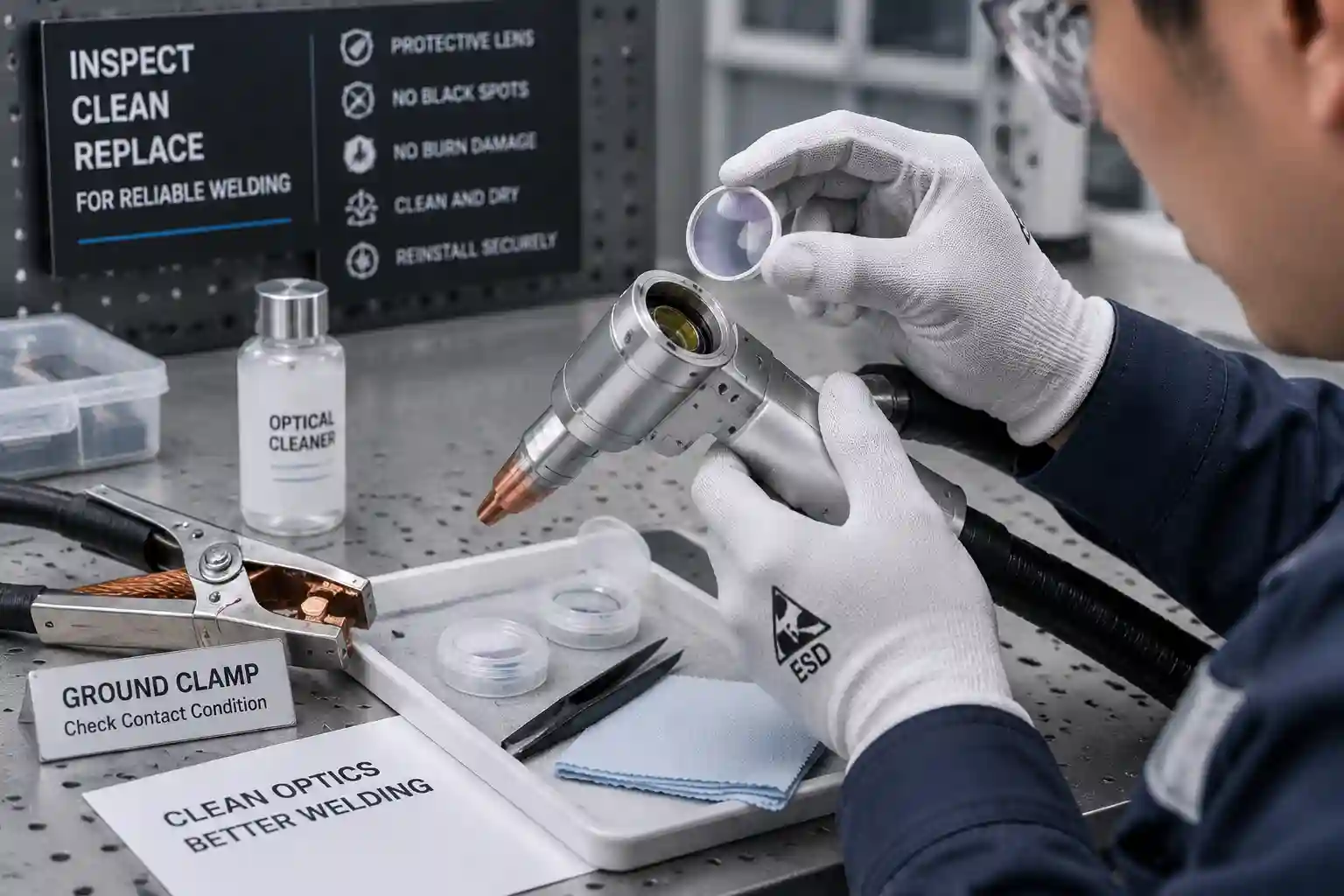
Placez la pince de mise à la terre sur une surface métallique conductrice propre. La présence de peinture, de rouille, d'huile ou d'une pince mal fixée peut perturber le signal de sécurité. Après coupure de l'alimentation, vérifiez que les fiches externes homologuées ne sont ni tordues ni endommagées au niveau des câbles. Les tests internes doivent être effectués par du personnel qualifié.
Conditions nécessitant un arrêt
Isolez la machine si la gaine en fibre est endommagée, si de l'eau entre en contact avec des composants électriques, si une odeur de brûlé se dégage ou si une alarme se déclenche. Conservez l'écran d'alarme pour le dépannage.
Pourquoi n'y a-t-il ni gaz ni laser ?
Les deux sorties manquantes indiquent un problème avec la séquence de tir. Vérifiez l'état de la gâchette, de la pince, des entrées de sécurité, du connecteur de la torche et du contrôleur.
Vérifier les entrées de déclenchement et de mise à la terre
Surveillez l'écran de contrôle pendant le test de déclenchement approuvé. Un signal statique indique une boucle de sécurité ouverte, un problème de contact de la pince, un défaut de déclenchement ou un problème de connexion externe. Mettez l'appareil hors tension avant de réinsérer une fiche approuvée.
Vérifiez l'état du connecteur de la torche externe et du contrôleur
Les mouvements de la machine peuvent endommager le connecteur ou le câble de la torche. Vérifiez que le câble extérieur n'est pas écrasé, qu'il ne présente pas de coudes brusques ni de raccords desserrés. WISECUT recommande un câble de 10 m pour la torche de soudage WT-W1500 et WT-W2000 ; les limites de courbure de la fibre font l'objet de spécifications distinctes.
Pourquoi le gaz circule-t-il mais le laser reste éteint ?
Le flux de gaz oriente le diagnostic vers l'activation du laser, l'état de la source, le refroidissement ou le câble de commande.
Lire l'état de la source laser et le code d'alarme
Notez l'indicateur de source et le code exact avant de l'effacer. Les alarmes de température, de communication, d'activation et de source interne nécessitent des actions différentes. Des réinitialisations répétées effacent des preuves utiles et peuvent retarder le diagnostic.
Vérifiez les paramètres approuvés et le câble de signal
Comparez la puissance, le mode, le rapport cyclique et les paramètres de balayage avec la configuration approuvée. Utilisez les outils de diagnostic pour confirmer la commande d'émission. Un technicien peut tester le circuit du signal si la source reste inactive.
Le refroidissement ou l'alimentation peuvent-ils arrêter l'émission laser ?
La protection contre le refroidissement permet de maintenir la source en veille. La qualité de l'alimentation et la mise à la terre peuvent également provoquer des alarmes ou un fonctionnement instable.
Contrôles du système de refroidissement par eau
Pour une machine de soudage laser refroidie à l'eau, consultez le canal d'alarme du refroidisseur et vérifiez le niveau d'eau visible, le cheminement des tuyaux, le filtre, l'état de la pompe et l'espace de ventilation. Respectez les limites de température et de débit spécifiées pour le modèle. Une alarme répétée nécessite un diagnostic.
Contrôles du système de refroidissement par air
Un soudeuse laser refroidie par air Utilise un système de gestion thermique distinct. Veillez à ce que les entrées et sorties prévues restent dégagées, tenez compte des alertes de température et respectez les limites environnementales du modèle.
Contrôles de puissance réservés au personnel qualifié
Les opérateurs peuvent comparer l'alarme avec la plaque signalétique et le manuel. La mesure de la tension, l'inspection de l'armoire et la vérification de la mise à la terre de protection nécessitent du personnel électricien qualifié et la procédure de consignation du site.
Pourquoi y a-t-il un voyant rouge mais pas de faisceau de soudage ?
Le voyant rouge indique le bon fonctionnement du circuit de visée. La sortie principale nécessite toujours une autorisation d'émission, des entrées de sécurité normales, des réglages valides, une approbation du refroidissement et un état de disponibilité de la source.
Après l'arrêt complet, inspectez la lentille de protection uniquement selon la procédure de maintenance approuvée et dans un environnement propre. La présence de points noirs, de fissures ou de contamination nécessite la procédure de remplacement spécifiée. Les connecteurs de fibre optique et les composants optiques internes requièrent l'intervention d'un technicien qualifié.
Pourquoi le faisceau laser est-il faible ou intermittent ?
Un signal faible ou intermittent peut être lié à une alarme, un refroidissement instable, un câble mal branché, une contamination de la lentille, un problème d'alimentation en gaz ou des contraintes sur le cheminement des fibres. Notez si le problème apparaît au démarrage, après la soudure, pendant le déplacement ou sur une seule recette.
Capturez les données du contrôleur, les indicateurs de source, l'affichage du refroidisseur, l'état du gaz, la recette et l'heure de l'événement. Cet enregistrement permet de déterminer si la panne est due à la chaleur, au mouvement, aux réglages ou à une connexion.
Quand faut-il contacter le support technique ?
Les contrôles externes prennent fin lorsque le diagnostic porte sur le câblage de l'armoire, l'optique interne, les connecteurs de fibre optique, la réparation de la source ou la mesure électrique.
|
Élément de preuve |
Exemple |
Pourquoi cela aide |
|
Identité de la machine |
Numéro de modèle et de série |
Permet de relier le boîtier au câblage et au manuel appropriés. |
|
Preuves d'alarme |
Captures d'écran du contrôleur, de la source et du refroidisseur |
Préserve l'état de protection exact |
|
Branche des symptômes |
Gaz/pas de laser ni de lumière rouge/pas de sortie |
Réduit la chaîne de signal |
|
Événement récent |
Déplacement, maintenance, changement d'objectif ou panne de courant |
Identifie un point de départ utile |
|
Conditions extérieures |
Photos du collier de serrage, des prises, des tuyaux et du cheminement des câbles |
Affiche la configuration et les dommages visibles |
Veuillez envoyer ce colis avant de remplacer des pièces. Il fournit à l'équipe de maintenance des informations précises sur le symptôme, la configuration de la machine et la séquence des événements.
Conclusion : Transformer le dossier des symptômes en une décision de service
Une machine à souder laser qui n'émet pas de lumière nécessite une vérification basée sur les symptômes : entrées de sécurité, gâchette et pince, état de la source, refroidissement, paramètres approuvés, câbles externes et optique. Le seuil de maintenance est atteint en cas d'alarmes répétées, de dommages aux fibres optiques, d'eau à proximité des composants électriques, de tests internes ou de réparation de la source.
La gamme de postes de soudage portatifs WISECUT comprend des modèles à refroidissement par eau et par air. Son service après-vente inclut une assistance technique à distance en anglais, des formations, la fourniture de pièces détachées et une intervention sur site. Veuillez envoyer des photos du modèle, des captures d'écran des alarmes, de l'état du contrôleur et de la source, de l'affichage du refroidissement, du niveau de gaz, des événements récents et des connexions externes via [lien/adresse e-mail/adresse]. assistance technique L'étape de diagnostic suivante consiste donc à adapter le diagnostic à la machine.
FAQ (questions fréquentes)
Q1 : Pourquoi mon poste de soudage laser affiche-t-il une lumière rouge mais aucun faisceau laser ?
A : Le point rouge est un indicateur de visée. La sortie principale nécessite également une autorisation d'émission, des verrouillages normaux, des paramètres valides, une autorisation de refroidissement et une source laser prête. Consultez ces états sur le contrôleur et le panneau de la source.
Q2 : Une pince de mise à la terre peut-elle empêcher une machine de soudage laser de se déclencher ?
A : Une pince de mise à la terre peut faire partie de l'entrée de sécurité. Un contact conducteur propre, une mâchoire bien serrée et un câble externe intact permettent au contrôleur de recevoir ce signal. Suivez les instructions du manuel de la machine pour le test de la pince.
Q3 : Une alarme de refroidisseur peut-elle empêcher une soudeuse laser de s’allumer ?
R : Oui. Un système refroidi par eau peut interrompre l'émission laser en cas d'activation des protections liées à la température, au niveau, au débit, à la pompe ou aux capteurs. Notez le canal d'alarme et vérifiez uniquement les éléments accessibles à l'opérateur et mentionnés dans le manuel.
Q4 : Pourquoi le gaz de protection circule-t-il alors que le laser reste éteint ?
A : Le débit de gaz confirme une étape de la séquence de déclenchement. Une alarme de source, une commande d'émission inactive, une entrée de sécurité ouverte, une protection de refroidissement, un réglage incorrect ou un problème de câble de signal peuvent toujours empêcher le laser de fonctionner.
Q5 : Quels contrôles de soudeuse laser nécessitent un technicien qualifié ?
A : Le câblage des armoires, la mesure de la tension, les tests de mise à la terre, les connecteurs de fibre optique, l'optique interne et la réparation de la source laser nécessitent du personnel qualifié. Les opérateurs peuvent enregistrer les alarmes et inspecter les éléments externes agréés conformément au manuel d'utilisation.


